Home Assistant
Oh how I love you.
Bottom line up front:
Home Assistant automates my home's life in a way I'm comfortable; data on my server, and consolidating all my home access apps to one unified, customizable dashboard.
It has endured several evolutions, but I'd like to share integrations and hardware because I know sometimes there's hesitancy on what works since it's such a self-service technology. Here's what I know works:
- ZigBee
- ZWave
- MQTT
- Philips Hue
- Adaptive Lighting
- Ring
- hardware
- integration
- ZigBee Smart Plugs
- Microphone/Speaker
- M5Stack Atom Echo Smart Speaker Dev Kit
- Integration
- Companion Apps
- ios
- android
- GOS checkmark
- Android TV Remote
- Integration
- Universal Remote Integration
- Picture here
- Torque Pro
- SmartHub Energy
- custom integration
- CalDAV
- radicale server
- Ecowitt
- ECOWITT Wi-Fi Gateway Weather Station
- integration
- ESPHome
- Home Maintenance
- integration
- Immich - would like to use immich facial recognition with cameras
- integration
- immich server
- Jellyfin - haven't really figured out much for this since I host jellyfin on another domain
- integration
- self hosted
- Local Calendar
- OwnTracks - Android geolocation
- move to companion app
- Rain Bird - sprinklers
- Rain Bird LNK2 Smart WiFi Module
- integration
- Tailscale
- integration
Building a Smarter Home
Many services can make a "Smart Home" but if they are all isolated and focused on their own services, sooner or later users have multiple dashboards they have to check, manage, and use just to make the home "smarter." And that, sounds dumb.
The user experience should be less window dressing and now utility. Window dressing is the shopping, or onboarding experience, like seeing an outfit on display in a window. That's not a user experience, the user hasn't experienced it yet. The user experience is defined by how the user, who is actively using, experiences the service or product. If I have to maintain five different apps for my lights, security, voice assistant, irrigation, and whatever else in the home, I'm fractionally using the services and there's entire companies double, triple, quadruple producing something unnecessary the market had already produced.
That investment into parallel services creates healthy competition, but it also silos development and the investment dollars could go into an existing better product.
That existing, better product is home assistant. All in one dashboard, making how users use smart devices, smarter, and building a smarter home.
Overview of Core Configuration
Deployment: Docker on My Home Server Hardware
Docker Compose Configuration
All services run as Docker containers. This provides portability, easy updates, and clean separation of concerns.
version: '3.8'

services:
  homeassistant:
    container_name: homeassistant
    image: ghcr.io/home-assistant/home-assistant:stable
    restart: unless-stopped
    privileged: true
    ports:
      - "8123:8123"
    volumes:
      - ./config:/config
      - ./media:/media
      - /etc/localtime:/etc/localtime:ro
    environment:
      - TZ=America/Chicago
    networks:
      - homeassistant

  zwavejs:
    container_name: zwavejs
    image: zwavejs/zwave-js-ui:latest
    restart: unless-stopped
    tty: true
    stop_signal: SIGINT
    environment:
      - SESSION_SECRET=your-secure-secret-here
      - TZ=America/Chicago
    devices:
      - '/dev/serial/by-id/usb-Zooz_XXXXXXXXXX:/dev/zwave'
    volumes:
      - ./zwavejs:/usr/src/app/store
    ports:
      - '8091:8091'
      - '3005:3000'
    networks:
      - homeassistant

  mosquitto:
    container_name: mosquitto
    image: eclipse-mosquitto:latest
    restart: unless-stopped
    ports:
      - '1883:1883'
      - '9001:9001'
    volumes:
      - ./mosquitto/config:/mosquitto/config
      - ./mosquitto/data:/mosquitto/data
      - ./mosquitto/log:/mosquitto/log
    networks:
      - homeassistant

  zigbee2mqtt:
    container_name: zigbee2mqtt
    image: koenkk/zigbee2mqtt:latest
    restart: unless-stopped
    tty: true
    stop_signal: SIGINT
    group_add:
      - dialout
    volumes:
      - ./zigbee2mqtt:/app/data
      - /run/udev:/run/udev:ro
    ports:
      - '8099:8080'
    environment:
      - TZ=America/Chicago
    devices:
      - /dev/serial/by-id/usb-ITead_Sonoff_XXXXXXXXXXXXXXXX:/dev/ttyUSB0
    privileged: true
    networks:
      - homeassistant

networks:
  homeassistant:
    name: homeassistant
    external: true
Key Configuration Notes
Network Mode: Bridge with explicit port mappings (alternative: host mode for mDNS device discovery)
Privileged: true (required for USB device access)
Timezone: America/Chicago
Restart Policy: unless-stopped
Data Locations
All configuration and data stored in local directories:
| Path | Purpose |
|---|---|
./config |
Home Assistant configuration, automations, database |
./media |
Media files |
./zwavejs |
Z-Wave JS data |
./zigbee2mqtt |
Zigbee2MQTT data |
./mosquitto |
MQTT broker data |
Common Tasks
Restart Services
docker-compose restart homeassistant
# Or specific service
docker-compose restart zwavejs
Update Services
docker-compose pull
docker-compose up -d
View Logs
docker logs homeassistant
docker logs -f homeassistant  # Follow mode
Check Configuration
docker exec homeassistant python -m homeassistant --script check_config --config /config
Access Shell
docker exec -it homeassistant bash
Pics
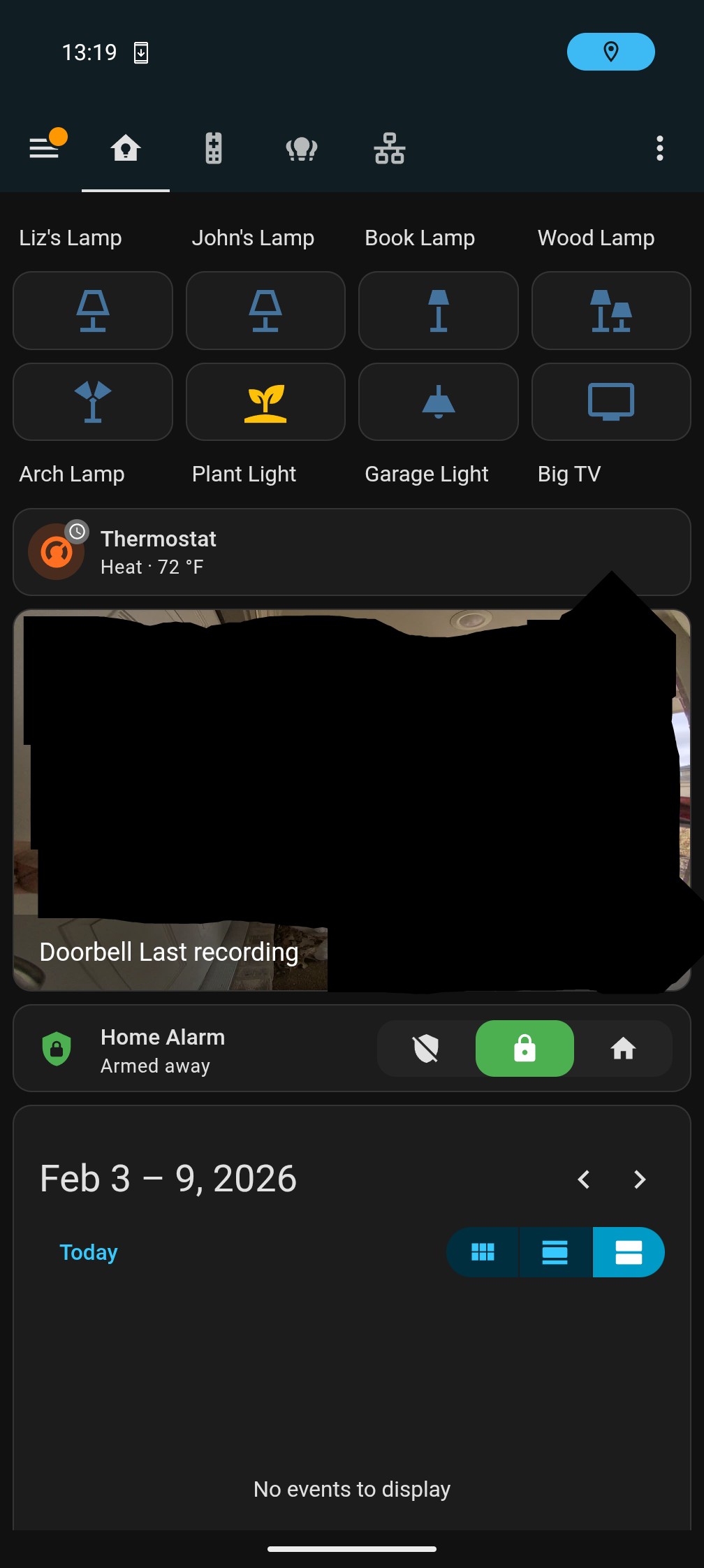
Mobile Main Dash
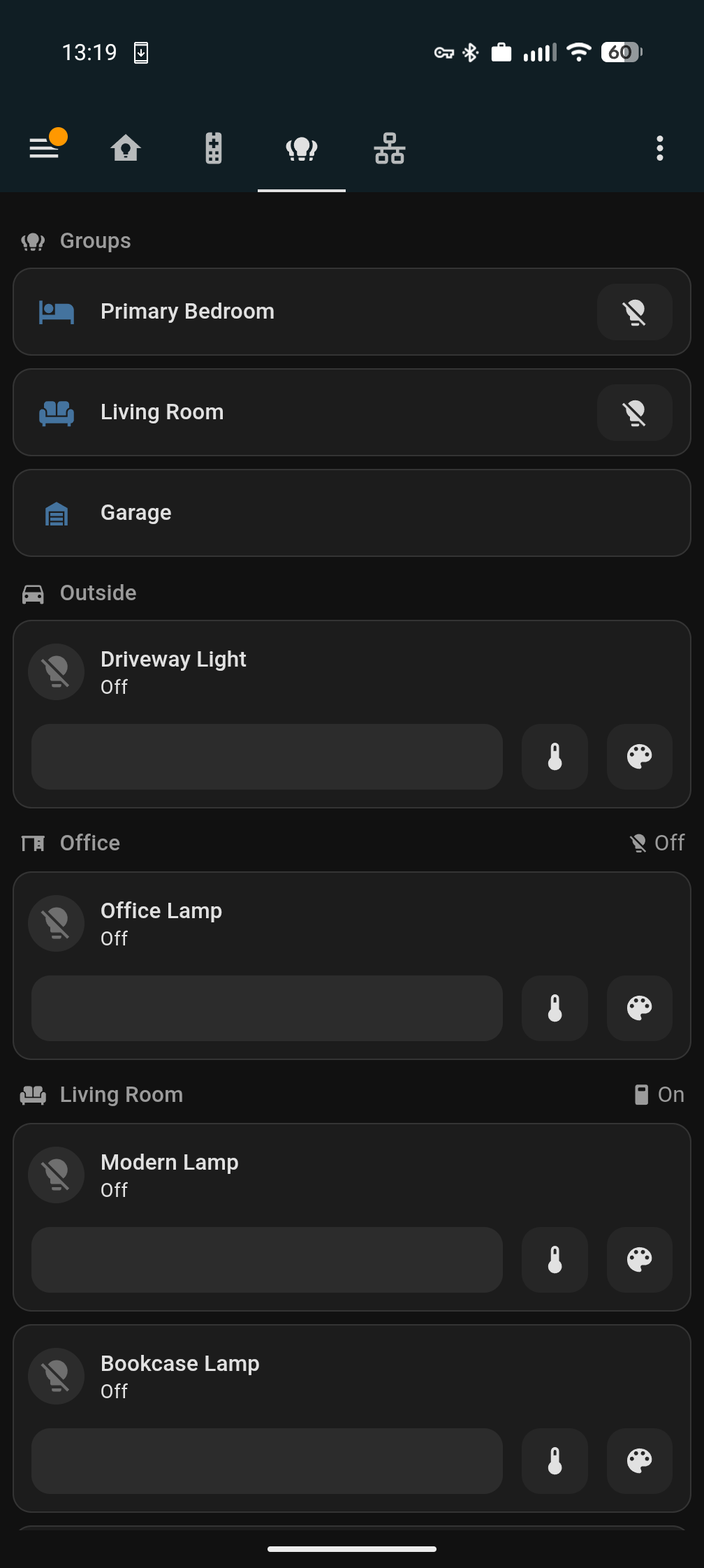
Mobile Light Switches
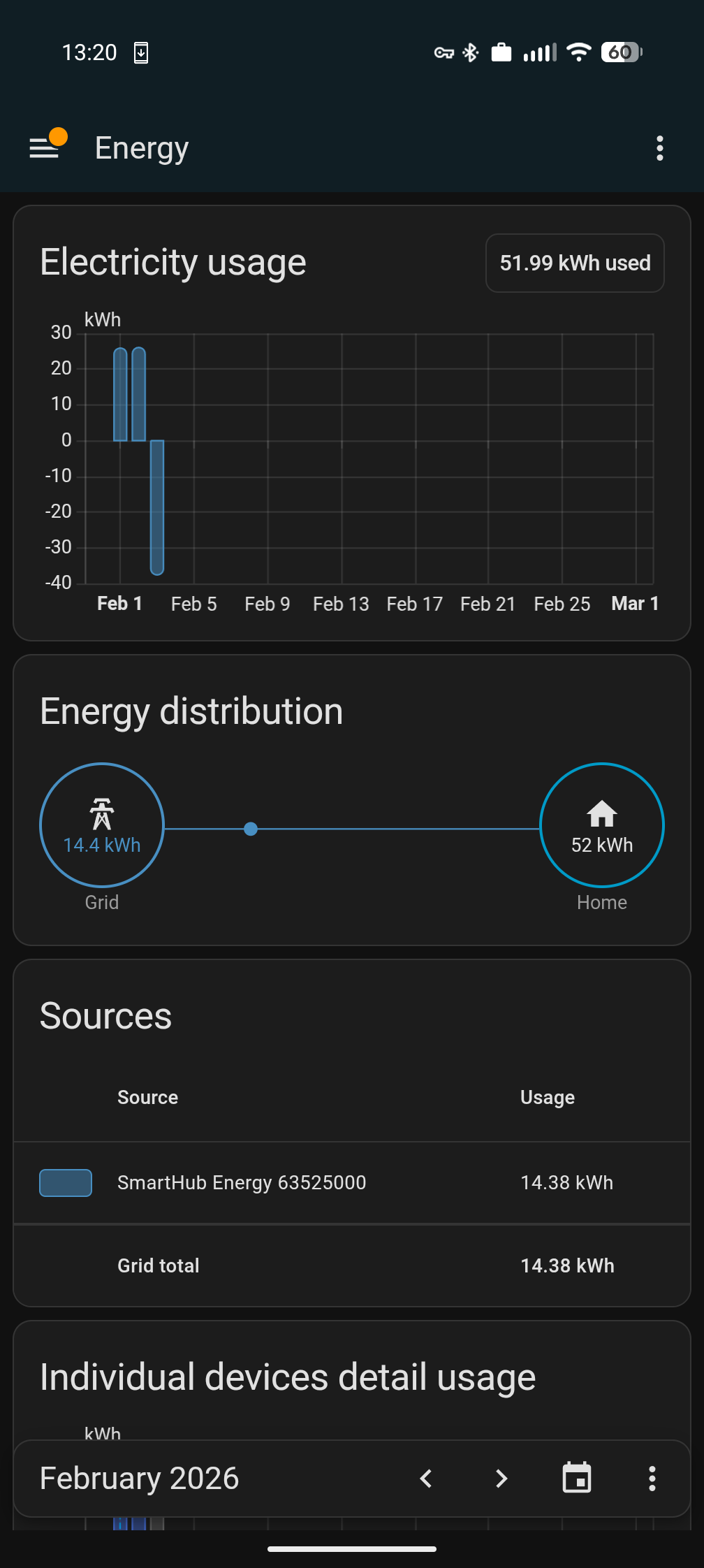
Mobile Energy Consumption
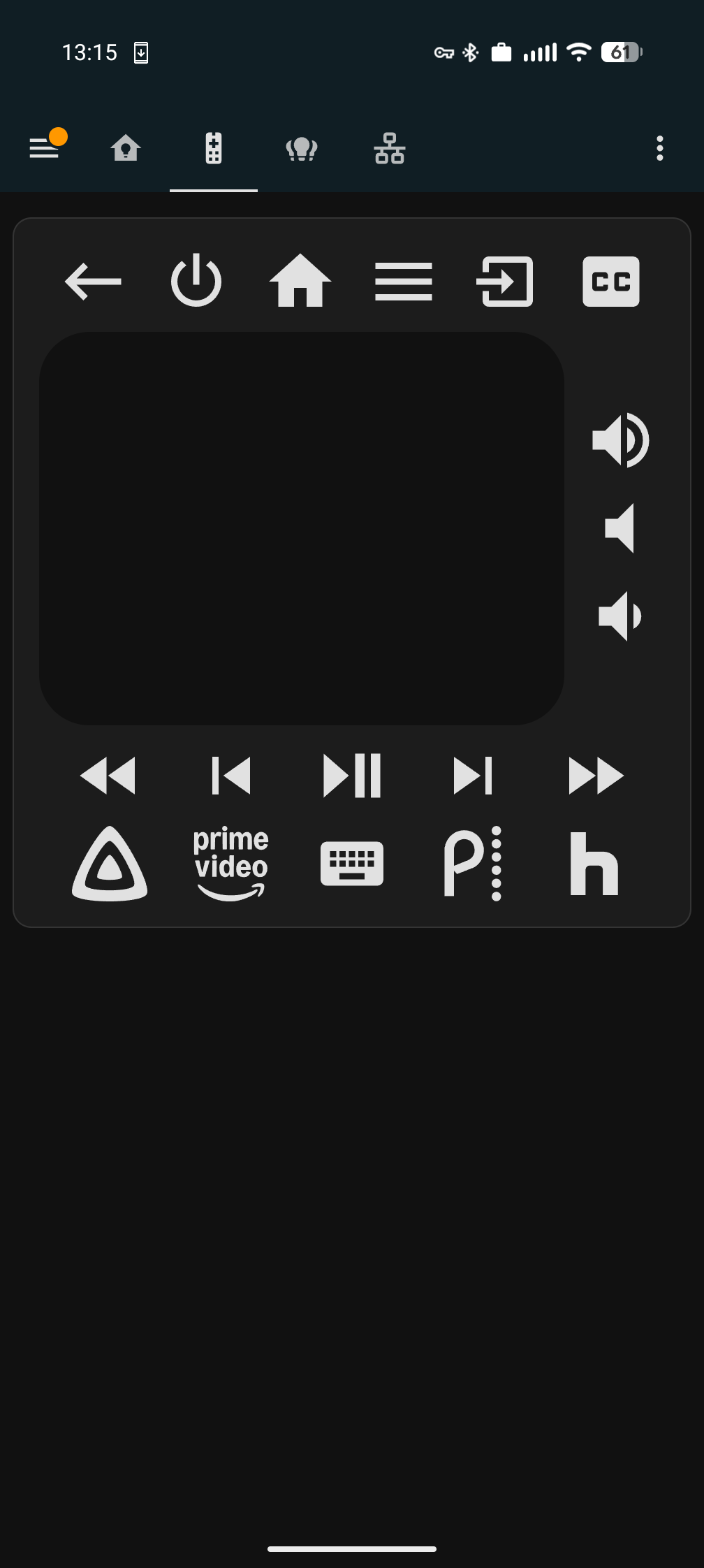
Mobile TV Universal Remote
desktop 1
desktop 2
What I Learned
It's a fairly forgiving system if you stick to the UI, but if you want to play with custom integrations and/or build your own, that's where it's handy to have an AI hand-hold along the way. Also dangerous. Many accidental deletes of some automations or customizations before cronjob backups kicked in.
I learned:
- To backup incrementally even as I'm going
- About how many services I already had easily integrate into it. I put off Home Assistant for far too long, and I should have even just bought a HASS OS box way before because it would have made my life easier, earlier
- To backup incrementally even as I'm going
- Pain points about wife's day-to-day life that she wished to be solved, that I otherwise didn't know
- A little bit of JSON... a little bit, and that might be embellishing
- A lot about networks
- And that I'm not afraid of data, just of Big Data having it. Having data locally, and an abundance of it, is actually pretty fun to have.
It, unfortunately, creates the compulsive need for me to buy and build more projects around the house so I can collect more and view more in the dashboard.
Current State
AI is pretty hands-off in the development of the service. Instead, I have a cronjob that takes all the entities daily and adds it to my server documentation folder, and that folder is in my agent workspace so the agent always has latest entities for conversations.
The home really is set up more than I had anticipated, and I could leave it as is and be perfectly content. However, my nature prevents that. It will continue being an ongoing project.
What's Next
Voice control needs hardware deployment—the software is ready but need more Atom Echos placed around the house. I want to expand to more motion detection. There's more recent technology with Wi-Fi detecting presence similar to mmWave technology.